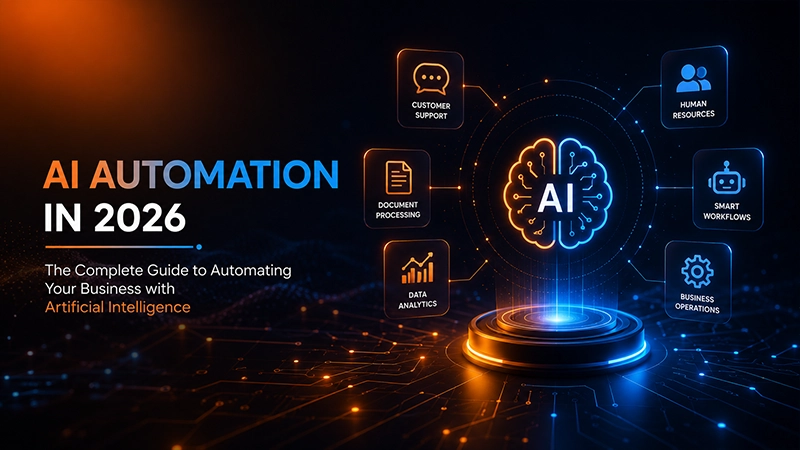
Artificial intelligence is transforming how businesses operate. From answering customer inquiries and processing invoices to analyzing documents and managing complex workflows, AI automation is helping organizations work faster, reduce costs, and improve decision-making.
Unlike traditional automation, which relies on predefined rules, AI automation enables software to understand language, recognize images, analyze data, and make context-aware decisions. This allows businesses to automate processes that once required human judgment.
Whether you're a startup looking to streamline operations or an enterprise planning digital transformation, understanding AI automation is becoming essential for staying competitive.
In this comprehensive guide, you'll learn:
- What AI automation is and how it works
- How it differs from traditional automation and RPA
- The biggest business benefits
- Real-world examples across industries
- Popular AI automation tools
- Best practices for implementation
- Future trends shaping business automation
By the end of this guide, you'll have a clear understanding of how AI automation can help your organization save time, improve productivity, and unlock new opportunities for growth.
What Is AI Automation?
AI automation is the combination of artificial intelligence (AI) and automation technologies to perform tasks that traditionally require human thinking, decision-making, or interpretation.
Traditional automation follows strict, predefined rules. It can execute repetitive tasks efficiently but struggles when information is incomplete, unstructured, or unpredictable.
AI automation introduces intelligence into these workflows. Instead of simply following instructions, AI systems can understand context, recognize patterns, learn from data, and make informed decisions.
For example:
- Traditional automation might send an invoice reminder exactly seven days before a due date.
- AI automation can read incoming invoices, extract important information, detect duplicate invoices, identify unusual payment patterns, prioritize urgent invoices, and even recommend the best payment schedule based on historical cash flow.
This ability to process both structured and unstructured information makes AI automation suitable for a much wider range of business processes.
How Does AI Automation Work?
Although AI automation may seem complex, most solutions follow a similar workflow consisting of several key stages.
1. Data Collection
Every automated workflow begins with data. This information may come from:
- Emails
- PDFs
- CRM systems
- ERP software
- Websites
- Customer chats
- Images
- Spreadsheets
- IoT devices
- Databases
Unlike traditional automation, AI can process structured and unstructured data simultaneously.
For example, a customer support workflow may receive:
- An email
- A screenshot
- A purchase history
- Previous conversations
All of these become inputs for the AI system.
2. AI Analysis
Once data is collected, AI models analyze it using technologies such as:
Natural Language Processing (NLP)
Allows computers to understand human language. Examples include:
- Reading emails
- Understanding customer requests
- Summarizing documents
- Classifying support tickets
Machine Learning
Machine learning identifies patterns from historical data. Examples include:
- Predicting customer churn
- Detecting fraud
- Forecasting inventory demand
- Lead scoring
Computer Vision
Computer vision analyzes images and videos. Common applications include:
- Manufacturing quality inspection
- Medical imaging
- Warehouse inventory recognition
- Identity verification
Large Language Models (LLMs)
Modern AI systems powered by large language models can:
- Draft emails
- Generate reports
- Answer customer questions
- Summarize meetings
- Extract information from contracts
- Assist employees with internal knowledge
These capabilities have significantly expanded what businesses can automate.
3. Decision Making
After analyzing the information, AI determines the most appropriate action. Examples include:
- Approving a loan application
- Assigning a support priority
- Scheduling a meeting
- Detecting suspicious transactions
- Routing documents to the correct department
Unlike traditional automation, these decisions are based on probabilities, context, and learned patterns rather than fixed rules alone.
4. Workflow Execution
Once a decision is made, automation software executes the necessary actions.
For example, an AI-powered customer support workflow may:
- Create a ticket
- Categorize the issue
- Draft a response
- Update the CRM
- Notify the support team
- Schedule a follow-up
- Escalate urgent requests
All of this can happen within seconds.
5. Continuous Improvement
One of AI automation's greatest advantages is its ability to improve over time.
Organizations can monitor performance using metrics such as:
- Response accuracy
- Processing time
- Customer satisfaction
- Error rates
- Cost savings
- Employee productivity
As more data becomes available, workflows can be refined, prompts improved, and decision rules adjusted to achieve better outcomes.
AI Automation vs. Traditional Automation
Many people assume AI automation is simply a newer version of traditional automation, but the two serve different purposes.
Traditional automation excels at repetitive, predictable tasks where every step can be clearly defined. Examples include:
- Sending scheduled emails
- Moving files between folders
- Copying customer information
- Creating recurring reports
- Synchronizing databases
These workflows are fast and reliable, but they break when unexpected situations occur.
AI automation is designed to handle variability. Instead of relying only on predefined rules, it can understand language, interpret documents, analyze customer intent, and make decisions based on context.
For example, consider an insurance claim. A traditional automation system may verify that all required documents are attached. An AI automation system can also read the claim description, identify potential fraud indicators, estimate claim severity, prioritize urgent cases, and recommend the next action to a claims specialist.
This makes AI automation particularly valuable for knowledge-intensive work where human judgment has traditionally been required.
| Feature | Traditional Automation | AI Automation |
|---|---|---|
| Decision Making | Rule-based | Context-aware |
| Learns Over Time | No | Yes |
| Handles Unstructured Data | Limited | Excellent |
| Understands Language | No | Yes |
| Image Recognition | No | Yes |
| Adapts to New Situations | Limited | Yes |
| Best For | Repetitive Tasks | Complex Business Processes |
AI Automation vs. Robotic Process Automation (RPA)
One of the most common misconceptions is that AI automation and Robotic Process Automation (RPA) are the same thing. While they are closely related, they solve different problems and often work best together.
Robotic Process Automation is designed to automate repetitive, rule-based tasks by mimicking the actions a human performs within software applications. An RPA bot can log into systems, copy data between applications, generate reports, or process forms by following a predefined sequence of steps. It is highly efficient for stable processes where the inputs and outcomes are predictable.
AI automation builds on top of these capabilities by adding intelligence. Instead of simply following instructions, it can interpret documents, understand customer requests, analyze images, and make decisions when information is incomplete or varies from case to case.
For example, imagine a company receives hundreds of emailed invoices every day:
- An RPA bot can transfer invoice data from one accounting system to another once the information is available.
- An AI automation system can first read each PDF invoice, extract supplier details, identify totals, detect duplicate invoices, validate purchase orders, and then pass the verified data to the RPA bot for processing.
This combination—where AI handles understanding and RPA handles execution—is often referred to as intelligent automation or hyperautomation. It allows businesses to automate end-to-end workflows rather than isolated tasks.
AI Automation vs. Machine Learning
Many people use the terms AI automation and machine learning interchangeably, but they are not the same thing.
Machine learning (ML) is a branch of artificial intelligence that enables computers to identify patterns and improve their predictions using data. It focuses on teaching models to learn from historical information instead of following manually programmed rules.
AI automation, on the other hand, uses machine learning alongside other AI technologies to automate entire business processes.
Think of it this way:
- Machine learning helps software become smarter.
- AI automation uses that intelligence to perform work automatically.
For example, a machine learning model may predict which customers are likely to cancel their subscriptions based on past behavior. AI automation takes that prediction and automatically triggers a personalized retention campaign, creates a task for a sales representative, updates the CRM, and schedules follow-up emails.
Machine learning provides the intelligence, while AI automation turns that intelligence into action.
AI Automation vs. Generative AI
The rapid rise of tools like ChatGPT has made generative AI one of the most discussed technologies in business. Although related, generative AI and AI automation solve different problems.
Generative AI is designed to create content. It can write text, generate images, summarize reports, translate languages, and answer questions in natural language.
AI automation focuses on completing workflows.
For example:
- A marketing manager asks ChatGPT to write five LinkedIn posts. That's generative AI.
Now imagine a workflow where AI:
- Reviews the company's latest blog article
- Generates LinkedIn, Facebook, and X posts
- Creates email newsletter copy
- Schedules the content
- Notifies the marketing manager for approval
- Publishes everything automatically after approval
That entire workflow is AI automation.
In many businesses today, generative AI acts as one component inside a much larger automation system.
AI Automation vs. Intelligent Automation
Another term you'll often encounter is intelligent automation. Although the definitions vary slightly between technology vendors, intelligent automation generally refers to the combination of:
- Artificial intelligence
- Robotic Process Automation (RPA)
- Business process automation
- Workflow management
- Analytics
In practice, many organizations use the terms AI automation and intelligent automation interchangeably. The goal is the same: automate complex business processes that traditionally required human involvement.
Why AI Automation Matters More Than Ever
Businesses today face increasing pressure to deliver faster service, reduce costs, and make better decisions with fewer resources.
- Customers expect immediate responses.
- Employees want to spend less time on repetitive administrative work.
- Leaders need accurate data to make strategic decisions.
AI automation addresses all three challenges simultaneously.
Unlike previous generations of automation software, today's AI systems can work with emails, conversations, images, contracts, invoices, and other unstructured information that makes up the majority of business data.
Instead of replacing people, AI automation often removes repetitive tasks so employees can focus on problem-solving, creativity, and customer relationships.
What Are AI Agents?
One of the biggest developments in AI automation is the rise of AI agents. Unlike traditional automation tools that simply follow predefined rules, AI agents can analyze information, make decisions, learn from interactions, and take actions with minimal human intervention.
Think of an AI agent as a digital employee that can understand goals, choose the best way to complete a task, and continuously improve its performance based on new information.
For example, instead of simply sending an automated email after a customer submits a form, an AI agent can:
- Qualify the lead based on predefined business criteria.
- Search your CRM for previous interactions.
- Generate a personalized response.
- Schedule a meeting with the appropriate sales representative.
- Follow up automatically if the customer does not reply.
- Update your CRM with conversation summaries and next steps.
Because AI agents combine reasoning, planning, and automation, they can handle more complex workflows than traditional robotic process automation (RPA) or rule-based automation.
| Traditional Automation | AI Agents |
|---|---|
| Follows fixed rules | Makes decisions based on context |
| Executes repetitive tasks | Solves multi-step problems |
| Requires predefined workflows | Can adapt to changing situations |
| Limited flexibility | Learns from interactions and feedback |
| Handles one task at a time | Can coordinate multiple connected tasks |
For businesses, AI agents are transforming areas such as customer support, sales, HR, finance, operations, and IT by reducing manual work while improving speed and accuracy.
As AI technologies continue to evolve, many organizations are moving beyond simple automation toward intelligent AI agents capable of acting as virtual assistants, analysts, coordinators, and customer service representatives.
Benefits of AI Automation
Organizations across industries invest in AI automation because it delivers measurable business value. While every company has different goals, the benefits generally fall into several key areas.
1. Increased Productivity
Employees spend a significant portion of their workday on repetitive tasks such as entering data, searching for information, updating records, or routing requests between departments.
AI automation handles these routine activities automatically, allowing employees to focus on higher-value work. Rather than replacing employees, many organizations use AI to augment their teams and improve overall productivity.
2. Faster Decision-Making
Business decisions often require reviewing multiple sources of information. AI automation can gather data from different systems, analyze it in seconds, and recommend the next action. Examples include:
- Prioritizing sales opportunities
- Detecting fraudulent transactions
- Recommending inventory purchases
- Identifying high-priority support tickets
This significantly reduces response times.
3. Reduced Operational Costs
Manual processes consume valuable employee time and often lead to unnecessary operational expenses. By automating repetitive workflows, businesses can reduce:
- Administrative work
- Processing time
- Overtime
- Human errors
- Operational bottlenecks
These improvements often produce measurable cost savings within months of implementation.
4. Better Customer Experience
Modern customers expect quick, personalized interactions. AI automation enables businesses to:
- Respond instantly to inquiries
- Route customers to the right department
- Personalize recommendations
- Send proactive updates
- Resolve common issues automatically
The result is shorter wait times and higher customer satisfaction.
5. Improved Accuracy
Human errors are unavoidable, especially when employees perform repetitive work for extended periods. AI automation helps reduce mistakes by consistently following predefined workflows while validating information across multiple systems.
This is especially valuable in industries where accuracy is critical, such as healthcare, finance, and legal services.
6. Scalability
Growing businesses often struggle to keep up with increasing workloads. Instead of hiring additional staff for every operational increase, AI automation allows organizations to process significantly more work using existing resources.
Whether handling hundreds or thousands of customer requests, automated workflows can scale with demand.
7. Better Compliance
Many industries must comply with strict regulations regarding data handling, reporting, and documentation. AI automation can:
- Record workflow activity
- Maintain audit trails
- Standardize processes
- Flag policy violations
- Ensure documentation is complete
This reduces compliance risks while improving transparency.
AI Automation Statistics
Recent industry research highlights how quickly AI automation is becoming part of everyday business operations.
- Organizations worldwide continue increasing investments in AI-powered business automation as they pursue higher productivity and operational efficiency.
- Business leaders consistently rank workflow automation among their top digital transformation priorities.
- Customer service remains one of the fastest-growing applications for AI automation, with organizations using AI assistants to improve response times and reduce support workloads.
- Companies increasingly combine generative AI with automation platforms to streamline marketing, software development, finance, and internal operations.
- AI adoption is expanding beyond large enterprises, with small and medium-sized businesses using affordable cloud-based automation platforms to improve competitiveness.
These trends suggest that AI automation is evolving from an optional innovation into a standard component of modern business operations.
Real-World AI Automation Examples
One of the easiest ways to understand AI automation is to see how businesses apply it in everyday operations.
Example 1: Customer Support
A customer sends the following email: "Hi, I ordered the wrong product yesterday and would like to exchange it."
An AI automation workflow can:
- Understand the customer's intent.
- Retrieve the order details.
- Verify exchange eligibility.
- Generate return instructions.
- Update the CRM.
- Create a support ticket.
- Notify the warehouse.
- Draft a personalized response.
- Escalate unusual cases to a human agent.
Instead of requiring multiple employees, the entire process can begin within seconds.
Example 2: Invoice Processing
Every day, finance teams receive invoices in different formats. AI automation can:
- Read PDF invoices.
- Extract vendor information.
- Verify purchase order numbers.
- Detect duplicate invoices.
- Calculate taxes.
- Flag unusual amounts.
- Route invoices for approval.
- Post approved invoices to the accounting system.
This reduces manual data entry while improving processing accuracy.
Example 3: Human Resources
Recruitment teams often receive hundreds of job applications. AI automation can:
- Screen resumes.
- Match qualifications with job descriptions.
- Rank candidates.
- Schedule interviews.
- Send personalized emails.
- Update applicant tracking systems.
Recruiters spend less time on administrative tasks and more time evaluating top candidates.
Example 4: Marketing
Instead of manually creating campaigns, AI automation can:
- Analyze website traffic.
- Segment audiences.
- Generate email content.
- Create social media posts.
- Schedule campaigns.
- Monitor engagement.
- Recommend optimizations based on performance.
Marketing teams can launch campaigns faster while maintaining personalization.
Example 5: Sales
Sales representatives often lose valuable time updating CRM records. AI automation can:
- Capture leads from websites.
- Enrich contact information.
- Score prospects.
- Schedule follow-ups.
- Generate personalized outreach emails.
- Create sales reports.
- Alert representatives when prospects show buying intent.
This helps sales teams spend more time building relationships and closing deals.
Example 6: Manufacturing
Manufacturers increasingly use AI automation for:
- Visual quality inspection
- Predictive maintenance
- Inventory optimization
- Production scheduling
- Equipment monitoring
Computer vision systems can identify defects far faster than manual inspection, improving product quality while reducing waste.
Example 7: Healthcare
Healthcare providers use AI automation to:
- Schedule appointments
- Process insurance claims
- Organize patient records
- Assist with medical documentation
- Prioritize patient requests
These applications reduce administrative burdens while helping healthcare professionals focus on patient care.
Example 8: Real Estate
Real estate agencies use AI automation to:
- Qualify buyer inquiries
- Schedule property viewings
- Generate listing descriptions
- Send follow-up emails
- Match buyers with available properties
This improves response times and helps agents manage larger volumes of leads.
Last updated:
27 July 2026